
01 / Artist
Set the lasting sound.
An artist holds a name, a base technical style, and the reference tracks that shaped it.
Chrome extension for Suno
SunoMaker keeps an artist's sound, an album's direction, and each track's Suno-ready details together in one desktop workspace.
Docs
The handoff
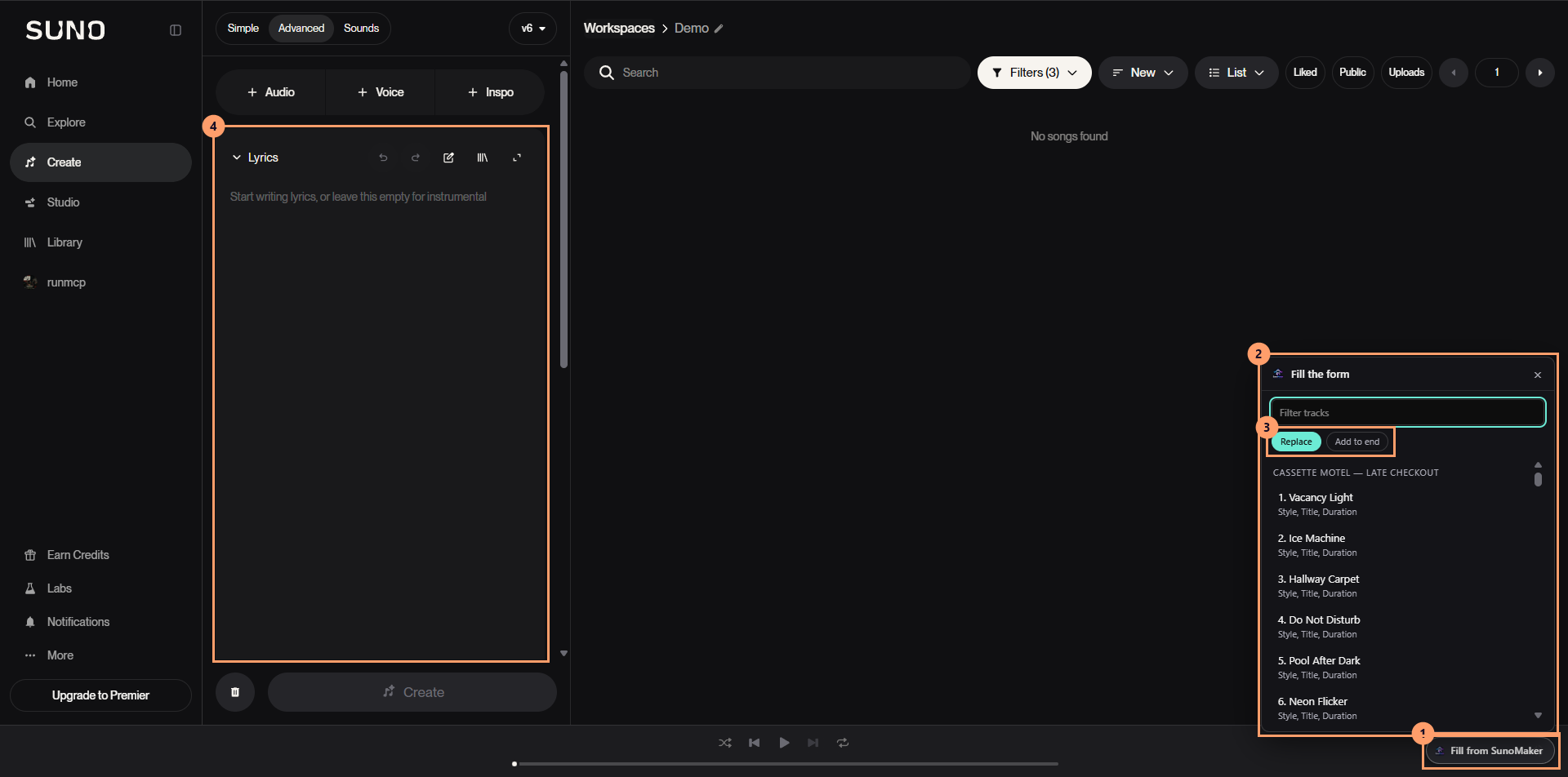
Choose a track in the Chrome extension's library picker. SunoMaker places that track's title, lyrics, and style prompt into the matching fields in Suno.
The extension is the bridge between the decisions made in the desktop app and the version you can listen to, assess, and keep.
See the extension walkthroughThe record
01 / Artist
An artist holds a name, a base technical style, and the reference tracks that shaped it.
02 / Album
An album captures what changes for this release: its direction, artwork, and later its release links.
03 / Track
Every track keeps its title, prompt, lyrics, target length, and the takes that return from Suno.
After Suno
Bring finished audio back to the local library, compare the returned takes, and mark the one that represents the song. The record stays connected to its artwork and release links.
When the record is out, its Apple Music, Spotify and YouTube Music links go on the album.